So, you’re looking to get a handle on your investments without all the fuss? The yahoo finance portfolio tracker might be just the thing. It’s a pretty popular tool, and for good reason. It gives you a way to see how your stocks and other holdings are doing, all in one place. Think of it as your personal financial dashboard. We’ll break down what it does and how you can use it to keep tabs on your money.
Key Takeaways
- The yahoo finance portfolio tracker offers real-time market data and news.
- It lets you manage multiple portfolios and create custom watchlists.
- Users can set up specific alerts for price changes and important news.
- The platform includes tools for analyzing company financials and stock charts.
- Limitations include a lack of direct brokerage integration and manual data entry.
Understanding the Yahoo Finance Portfolio Tracker
The Yahoo Finance Portfolio Tracker is a tool designed to help individual investors keep tabs on their investments. It provides a straightforward way to monitor your holdings, see how they’re performing, and stay informed about market movements. Think of it as your personal financial dashboard, accessible from wherever you are.
Core Functionality for Investors
At its heart, the tracker lets you input your stock purchases, including the number of shares and the price you paid. Once entered, it automatically calculates your gains and losses, showing you the current value of your investments. This basic functionality is key for anyone wanting to understand their portfolio’s health at a glance. It’s a good starting point for tracking your investments, whether you’re just beginning or have been investing for a while. For those new to the market, understanding different investment vehicles like stocks versus IPOs is important, and this tool helps visualize how those choices perform.
Accessing Market Data and News
Beyond just tracking your own holdings, Yahoo Finance gives you access to a wide range of market data. You can look up current stock prices, historical performance, and company-specific information. Plus, it integrates news directly into the platform, so you can see relevant financial news alongside your portfolio. This connection between your investments and the news affecting them is pretty useful for making sense of market changes. It helps you connect the dots between what’s happening in the world and how it might impact your money. The platform also covers a broad spectrum of financial securities, offering data on various investment types.
Keeping track of your investments doesn’t have to be complicated. The Yahoo Finance tracker aims to simplify this process, making it easier to stay on top of your financial goals.
Key Features of the Yahoo Finance Tracker
Yahoo Finance offers a robust set of tools that make tracking your investments straightforward and informative. The platform is designed with the everyday investor in mind, providing a clear and accessible way to monitor market performance.
Real-Time Updates and User-Friendly Interface
One of the standout aspects of the Yahoo Finance tracker is its commitment to providing up-to-the-minute information. Stock prices are refreshed frequently, often every 15 seconds during trading hours. This means you’re not looking at stale data when making decisions. The interface itself is quite intuitive. You don’t need to be a tech wizard to figure out where things are or how to use them. It’s laid out logically, making it easy to find the information you need without a lot of searching. This combination of speed and simplicity is a big win for anyone managing their own money.
Customizable Dashboards and Technical Charts
Beyond just showing you prices, Yahoo Finance lets you tailor your view. You can create custom dashboards that highlight the specific stocks or sectors you’re interested in. This means you see what matters most to you, right away. The platform also includes a good selection of technical charts. These charts come with various indicators that can help you spot trends or analyze price movements. Whether you’re looking at moving averages, RSI, or MACD, these tools are readily available to assist your analysis. For those interested in detailed market analysis, exploring tools like those found on TradingView can offer further insights.
Stream of News and Expert Analysis
Keeping up with market news is just as important as watching the numbers. Yahoo Finance integrates a constant flow of financial news directly into the platform. You get updates on companies, economic events, and market sentiment from various sources. This news feed is often accompanied by commentary or analysis from financial experts. Having this information readily available helps you understand the ‘why’ behind market movements and can inform your investment strategy. It’s like having a financial newspaper and a market tracker all in one place, which is pretty handy for anyone focused on managing personal finances.
Managing Your Investments with Yahoo Finance
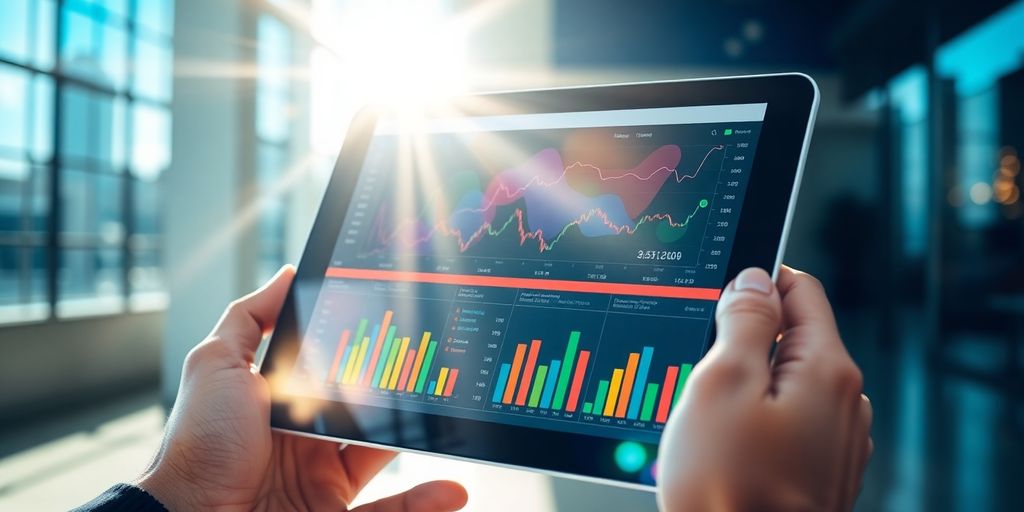
When you’re managing your investments, having the right tools makes a big difference. Yahoo Finance offers a way to keep tabs on your money, even if you have different investment goals or accounts. It’s designed to help you see how everything is doing in one place.
Multi-Portfolio Management Capabilities
One of the useful things about Yahoo Finance is that it lets you track more than one investment portfolio. This means you can separate your different investment strategies or accounts, like retirement funds versus short-term savings, and see them individually. You can create as many watchlists as you need, which is great for keeping an eye on stocks you’re interested in but haven’t bought yet, or for tracking different sectors of the market. This helps you stay organized and focused on what matters most to your financial plan. It’s a good way to get a clear picture of your overall financial health.
Tailoring Portfolios with Specific Alerts
Beyond just tracking, you can set up alerts for your investments. Imagine wanting to know when a stock you own hits a certain price, or when a company you’re watching releases its earnings report. Yahoo Finance lets you customize these notifications. You can get alerts for price movements, news updates, or even analyst rating changes for specific stocks. This way, you don’t have to constantly check your portfolio; the platform can inform you when something important happens. This proactive approach can help you make timely decisions about your investments, whether you’re looking to buy, sell, or just stay informed. It’s like having a personal assistant for your investments, helping you stay on top of market changes without being glued to the screen. For beginners looking to grow their wealth, understanding how to set these alerts can be a smart strategy for starting your investment journey.
Organizing Stocks with Multiple Watchlists
Keeping your investments organized is key to making smart decisions. Yahoo Finance allows you to create multiple watchlists, which are essentially custom lists of stocks you want to monitor. You might have one watchlist for companies you currently own, another for stocks you’re researching, and perhaps a third for companies in a specific industry you’re interested in. This feature helps you categorize and track different sets of securities without mixing them up. It makes it easier to focus on specific groups of stocks when you’re reviewing your portfolio or looking for new opportunities. For instance, if you’re interested in companies that offer various financial services, you could create a watchlist specifically for those. This organization can be particularly helpful when you’re looking at different types of investments, similar to how BCI Bank offers a suite of financial services that cater to diverse needs.
Leveraging Advanced Tools within Yahoo Finance
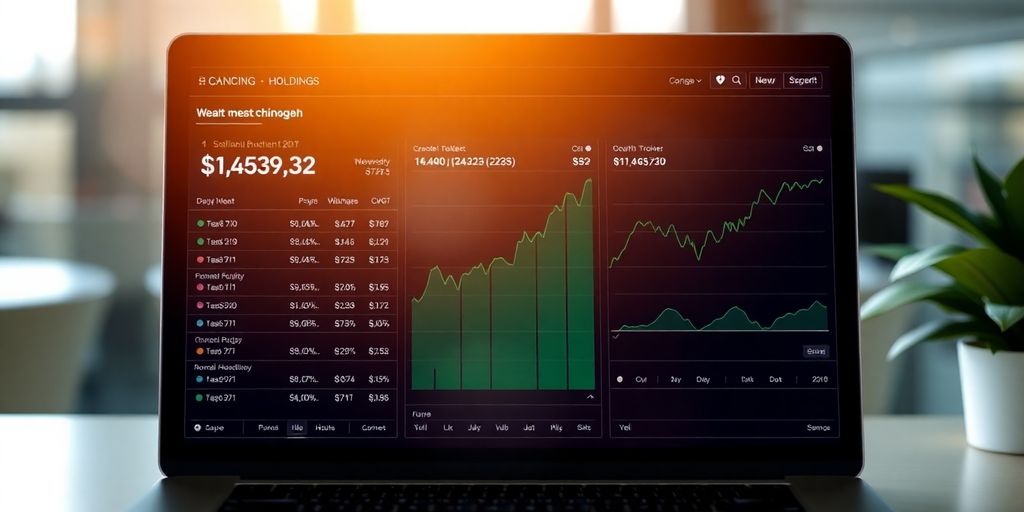
Beyond the basics, Yahoo Finance offers tools that can really help you dig into the market. You can use technical indicators to get a better feel for stock movements. Think of things like moving averages or the Relative Strength Index (RSI); these can give you clues about whether a stock might be overbought or oversold. It’s not magic, but it’s another piece of the puzzle.
When you’re looking at a specific company, Yahoo Finance lets you check out its financial health. You can see things like revenue, earnings per share, and debt levels. This information helps you understand how the company is actually doing, not just how its stock price is moving. It’s good to compare these numbers over time to spot trends. For example, seeing consistent revenue growth is usually a positive sign.
Comparing different stocks is also made easier. The platform has interactive charts that let you put multiple stocks side-by-side. You can see how they’ve performed against each other over different periods. This is helpful when you’re trying to decide where to put your money. Looking at the Yahoo stock price history can give you a good starting point for these comparisons.
Using these advanced features requires a bit of learning, but they can provide a more detailed view of your investments. It’s about using the data available to make more informed choices rather than just guessing.
These tools are part of what makes the Yahoo Finance Portfolio 2.0 Beta a solid option for many investors. They help you move beyond just tracking prices to actually analyzing what might be happening in the market.
Maximizing Your Experience with the Yahoo Finance Tracker
To really get the most out of the Yahoo Finance portfolio tracker, you’ll want to make sure you’re using its notification and syncing features. These tools can help keep you informed and your data consistent across different devices. It’s about making the platform work for you, not the other way around.
Enabling Notifications for Price Alerts and News
Staying on top of market movements is easier when you set up alerts. You can get notified when a stock you’re watching hits a certain price point, or when significant news breaks about a company in your portfolio. This means you don’t have to constantly check the app yourself. You can customize these alerts based on your specific investment strategy, whether you’re looking for buy signals, sell signals, or just important company updates. This proactive approach can save you time and help you react faster to market changes.
Syncing Portfolios Across Devices
If you use multiple devices, like a desktop computer and a smartphone, syncing your portfolio is a big help. Yahoo Finance generally handles this automatically if you’re logged into your account. This way, any changes you make on one device are reflected on the others. It means your latest portfolio performance and watchlist updates are always available, no matter where you are. This consistency is key for managing your investments effectively on the go. For those looking to maximize investment returns, keeping data synchronized is a good step [0268].
Following Stocks by Searching for Tickers
Adding stocks to your portfolio or watchlists is straightforward. The most common way is by searching for a company’s ticker symbol. For example, if you want to track Apple, you’d search for AAPL. Once you find the correct stock, there’s usually an option to add it to a specific portfolio or watchlist. You can also search by company name, but using the ticker symbol is often more precise. Understanding the Yahoo Finance quote is also important when you’re adding new stocks.
Setting up alerts and syncing your data are simple steps that can significantly improve how you use the Yahoo Finance tracker. They help you stay informed and keep your investment information organized, no matter your location or the device you’re using.
Considerations for the Yahoo Finance Portfolio Tracker
While the Yahoo Finance Portfolio Tracker is a strong tool for many investors, it’s good to know where it stands compared to other options. It’s not quite the same as some of the more specialized or premium services out there. For instance, if you’re looking for really deep analytical tools or direct trading capabilities within the platform, you might find Yahoo Finance a bit basic.
Limitations Compared to Premium Platforms
Some paid services offer more advanced charting tools, a wider array of technical indicators, or more sophisticated analytical models. Yahoo Finance keeps things relatively straightforward, which is great for ease of use, but might leave power users wanting more in-depth market research capabilities. It’s a trade-off between simplicity and advanced functionality.
Manual Updates for Portfolio Entries
One thing to be aware of is that adding or updating your holdings usually requires manual input. You’ll need to enter transactions yourself, rather than having them automatically pull from your brokerage account. This means keeping your portfolio perfectly up-to-date is an ongoing task. It’s important to regularly check and input any new trades or dividend reinvestments to maintain accuracy. This process is key to building an effective investment portfolio.
Lack of Direct Brokerage Integration
Unlike some other platforms that connect directly to your online broker, Yahoo Finance doesn’t offer this feature. You can’t buy or sell stocks directly through the tracker. All trades must be executed through your separate brokerage account. This means you’ll be using Yahoo Finance primarily for tracking and analysis, not for executing trades. For those who prefer an all-in-one solution, this might be a significant difference compared to services like Fisher Investments which may offer more integrated experiences.
Putting Your Portfolio to Work
So, you’ve learned about the tools and tips to manage your investments effectively. Yahoo Finance offers a solid, free way to keep track of your stocks and market movements. It’s good for seeing what’s happening and managing multiple watchlists. While it doesn’t connect directly to your bank or offer super advanced analysis like some paid services, it’s a great starting point for most people. Remember to check in regularly, keep your information updated, and use the alerts to stay informed. Getting a handle on your investments is a journey, and tools like Yahoo Finance can definitely help you along the way.
Frequently Asked Questions
What is the Yahoo Finance portfolio tracker?
Yahoo Finance’s portfolio tracker lets you keep tabs on your stocks, see how they’re doing, and get the latest news about them. It’s like a digital notebook for your investments.
Can I track multiple investments or set up alerts?
Yes, you can manage more than one list of stocks. This is handy if you have different investment goals or accounts. You can also set up alerts for when stock prices change or when big news happens.
Does it show real-time stock prices?
You can see how stocks are performing in real-time, which means the prices update very quickly, usually every 15 seconds when the market is open. It also shows you charts and news to help you understand what’s going on.
Can I trade stocks directly on Yahoo Finance?
While it’s great for tracking, you can’t actually buy or sell stocks directly through Yahoo Finance. You’ll need to use your separate online stock trading account for that. Also, you have to add your stock purchases manually.
Is Yahoo Finance easy for beginners to use?
It’s pretty easy to use, even if you’re new to investing. The layout is clear, and it provides helpful information like company details and market news. You can also look at charts to see how stocks have performed over time.
Are there any downsides to using Yahoo Finance?
Compared to some paid services, Yahoo Finance might not have all the super-advanced analysis tools. However, for most individual investors, it offers a really good set of features for free to help manage and understand their investments.

Peyman Khosravani is a global blockchain and digital transformation expert with a passion for marketing, futuristic ideas, analytics insights, startup businesses, and effective communications. He has extensive experience in blockchain and DeFi projects and is committed to using technology to bring justice and fairness to society and promote freedom. Peyman has worked with international organizations to improve digital transformation strategies and data-gathering strategies that help identify customer touchpoints and sources of data that tell the story of what is happening. With his expertise in blockchain, digital transformation, marketing, analytics insights, startup businesses, and effective communications, Peyman is dedicated to helping businesses succeed in the digital age. He believes that technology can be used as a tool for positive change in the world.